


Okta Workflows is a no-code platform for automating identity processes.
This blog post is based on a question asked during office hours or the #okta-workflows channel in MacAdmins Slack: How to take a data list, modify each record in a list, and continue to use the new list in the flow?
Getting started
You have a list of users and need a new list where each user is listed as lastname.firstname. Perhaps you need this name format to create an account in another system.
The main flow
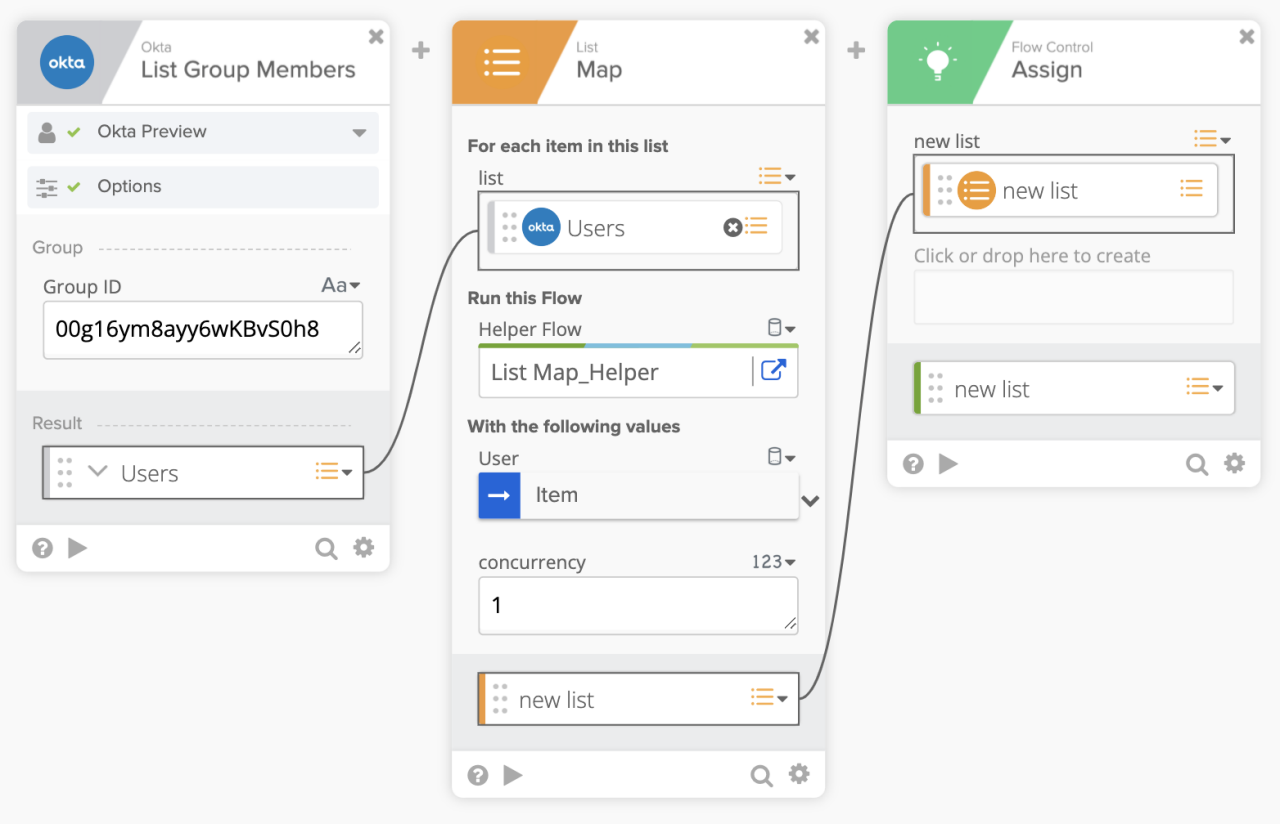 Using List – Map card
- The first card, Okta – List Group Members, gets all members (users) from the specified group
- The List – Map card, calls a helper flow to process the user list. The entire record (User) is passed to the helper flow. And, it returns a list (new list) that you can use in the rest of the flow
- This is different from the For Each action that also processes a list, but doesn’t return a list back)
- In this example, the Flow Control – Assign card is used to display the returned list. It is used to show that you have a list that you can use in the rest of the flow
The helper flow
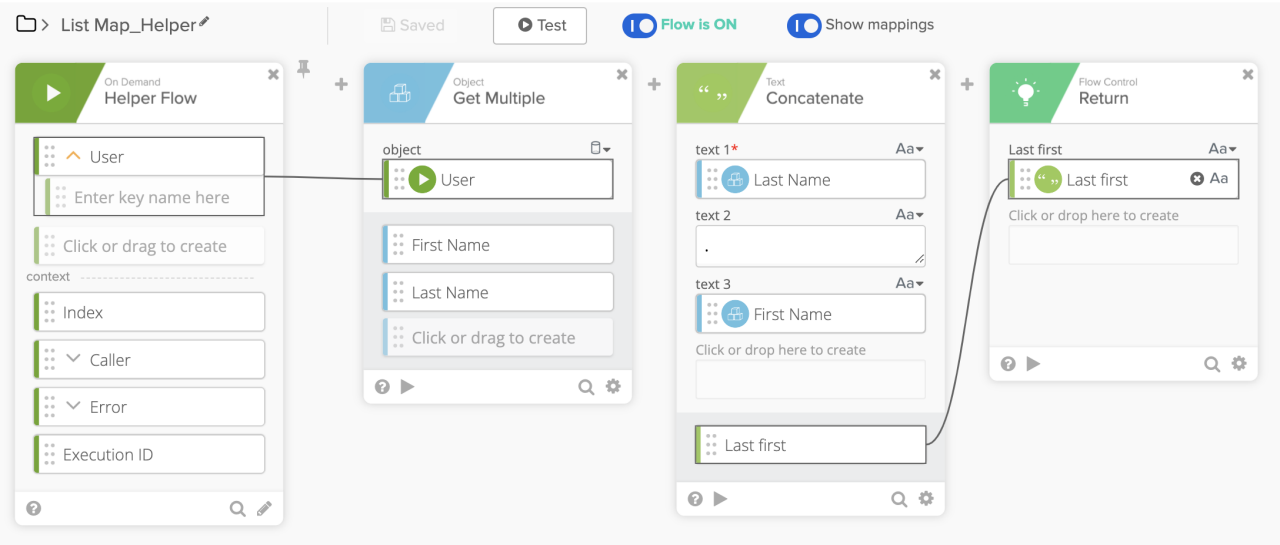 Helper flow that returns a value
- In the first Helper Flow card, the input is the current record (User)
- The Get Multiple card retrieves the First Name and the Last Name of the current user. You can also retrieve other fields
- The Text Concatenate card, concatenates the First Name, a period (.), and the Last Name
- The Flow Control – Return card, receives a new name in the lastname.firstnameformat and adds it to the new list. Once all the items were processed, the List – Mapcard (main flow) returns a new list. This new list is now available in the main flow
Helper flow execution
This screenshot shows one run of the helper flow where it returns one name in the lastname.firstname format:
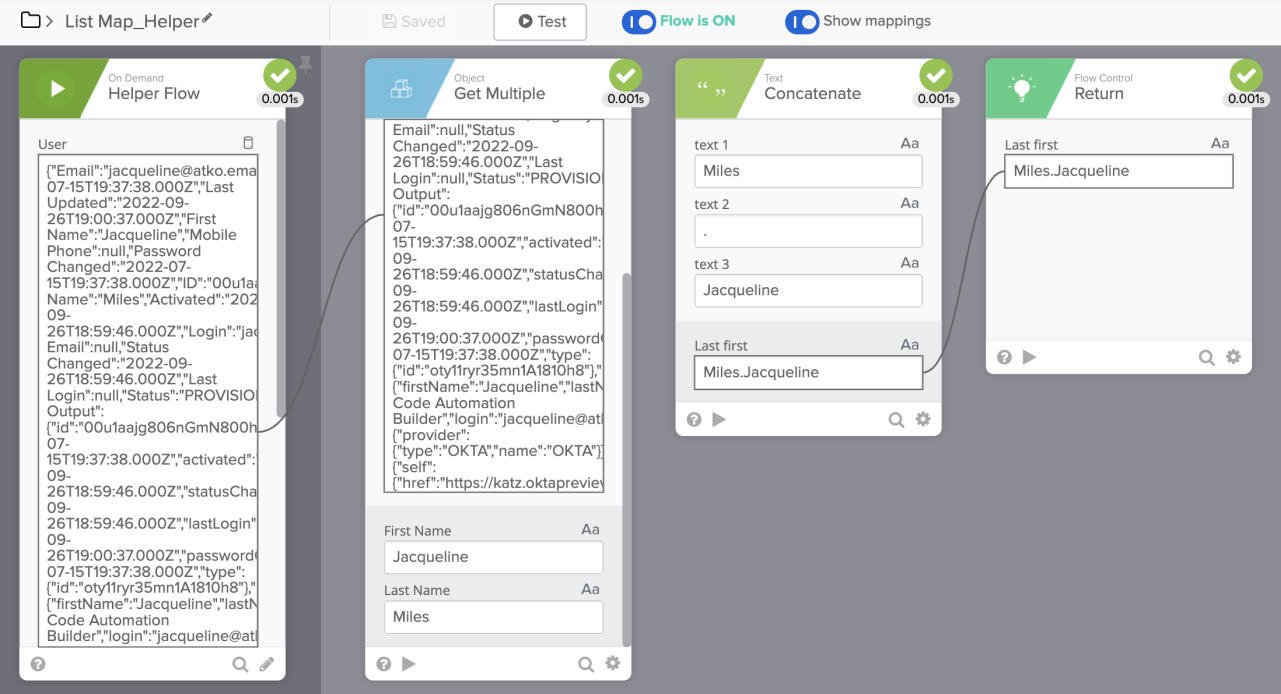 Helper flow run
Main flow execution
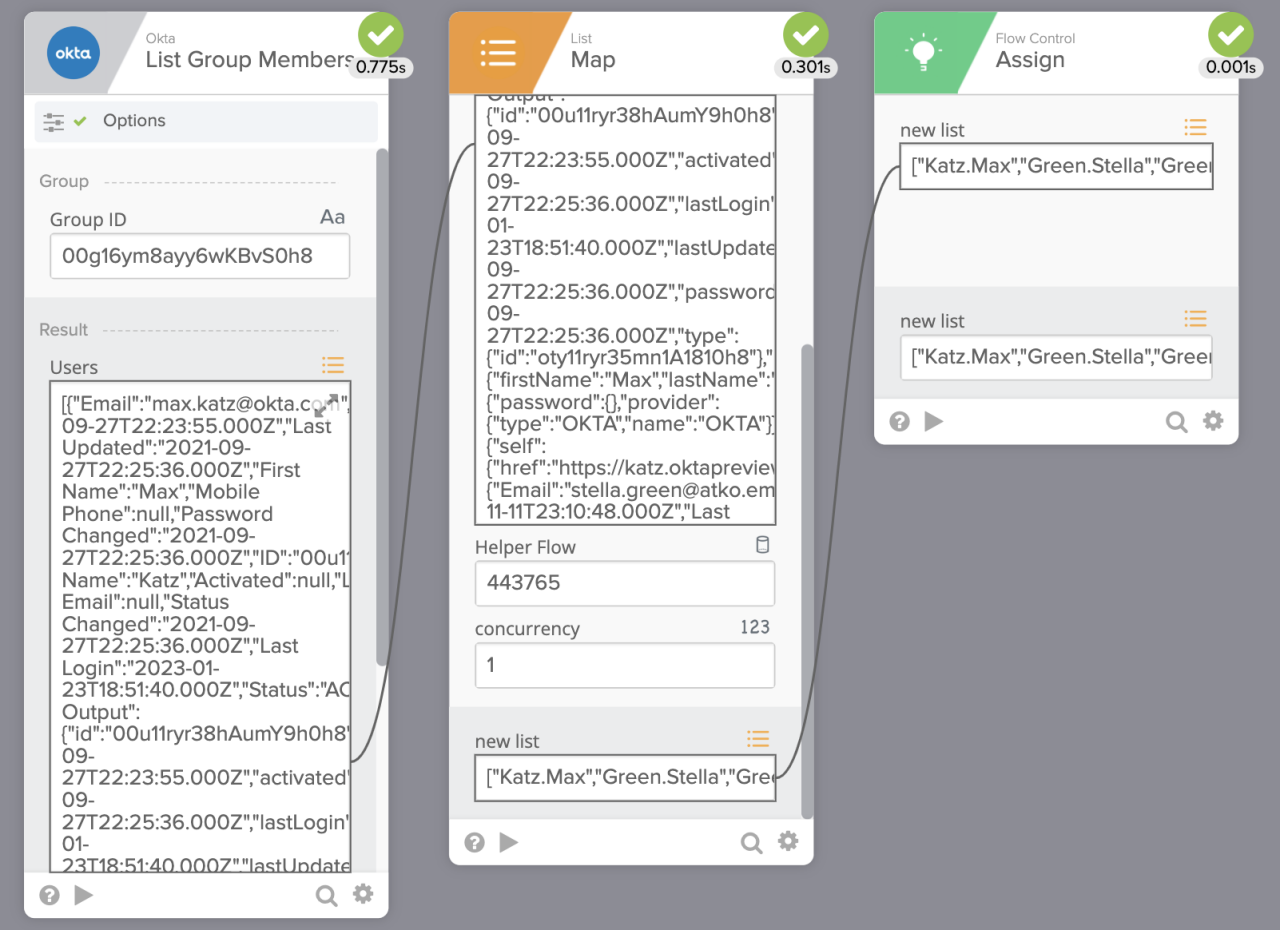 Main flow run
The final output list
The new list (from Assign card):
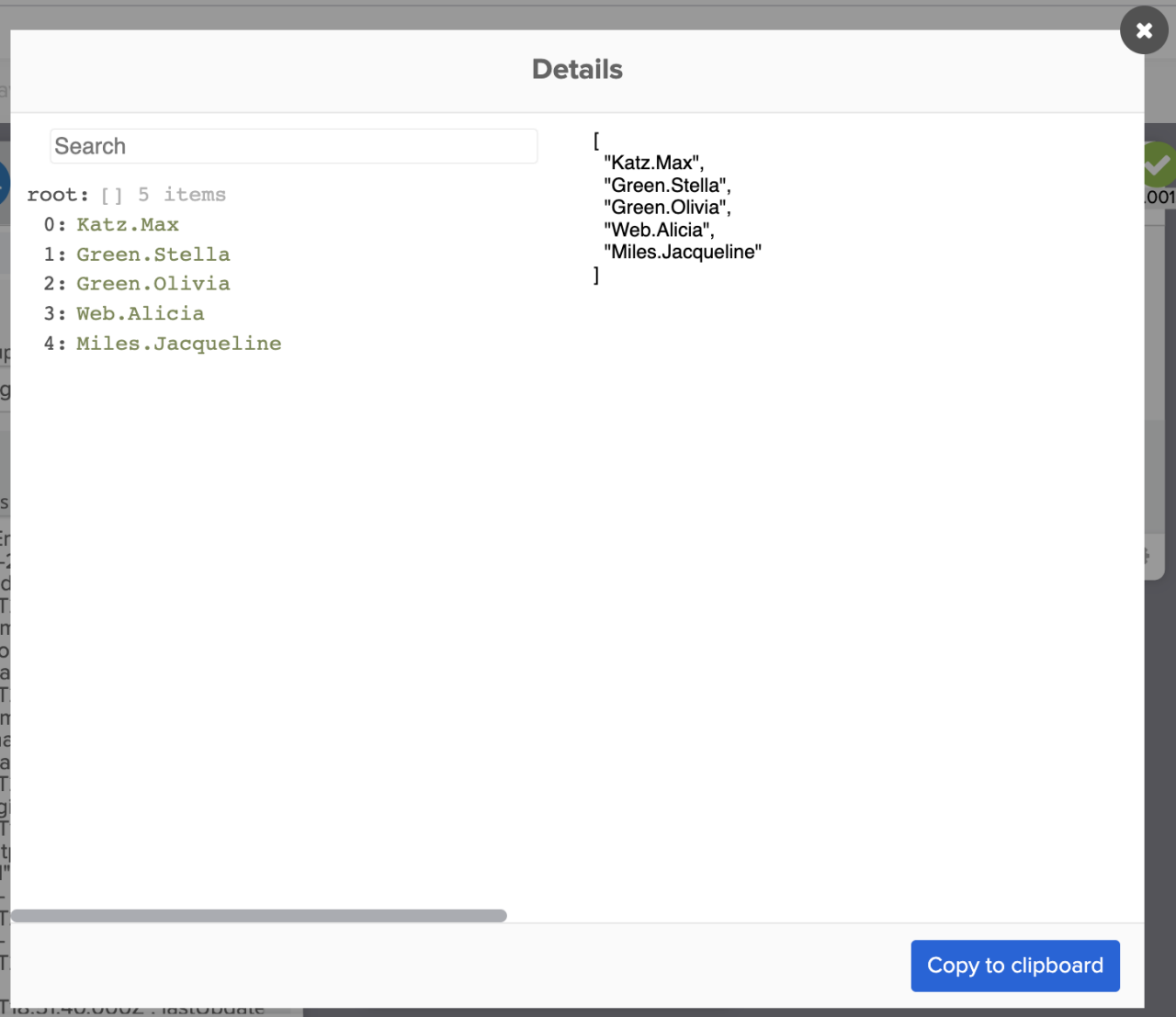 The new list with last.first format
If you are familiar with the List – For Each card, it processes a list item but doesn’t return a value back to the main flow. The List – Map card processes a list of items and returns a new list to the main flow.
Get your Workflows questions answered
Do you have a question about Okta Workflows? Not sure how to build a flow? Join the weekly community office hours to get help.


