


Okta Workflows est une plateforme no-code permettant d’automatiser les processus liés à l’identité. L’équipe Workflows organise chaque semaine des permanences au cours desquelles elle répond aux questions des personnes qui créent des workflows.
Cet article de blog s’appuie sur une question posée lors des permanences : comment lire un chemin JSON avec la notation par points dans Workflows ?
Premiers pas
Lorsque vous créez des automatisations Workflows, vous aurez probablement besoin de lire des valeurs à partir d’un objet JSON. Par exemple, à partir d’un API endpoint externe qui renvoie des données au format JSON. Les Workflows disposent de deux cartes permettant de lire (retrieve) des valeurs à partir d’un objet JSON :
- Objet – obtenir
- Objet – Get Multiple
Utilisez le JSON suivant pour illustrer le fonctionnement des cartes.
{
    "product": "ice cream",
    "ingredients": {
        "ingredient": [{
                "id": 100,
                "type": "chocolate"
            },
            {
                "id": 200,
                "type": "vanilla"
            },
            {
                "id": 300,
                "type": "caramel"
            }
        ]
    },
    "shop": {
        "inventory": {
            "instock": 100,
            "ordered": 50
        }
    }
}
La notation pointée correspond à un chemin qui correspond à un élément dans JSON.
Par exemple, un chemin de produit renverra :
glace
Utiliser la carte Object – Get pour lire le JSON
Dans Workflows, utilisez la fonction Object – Get pour lire un chemin JSON :
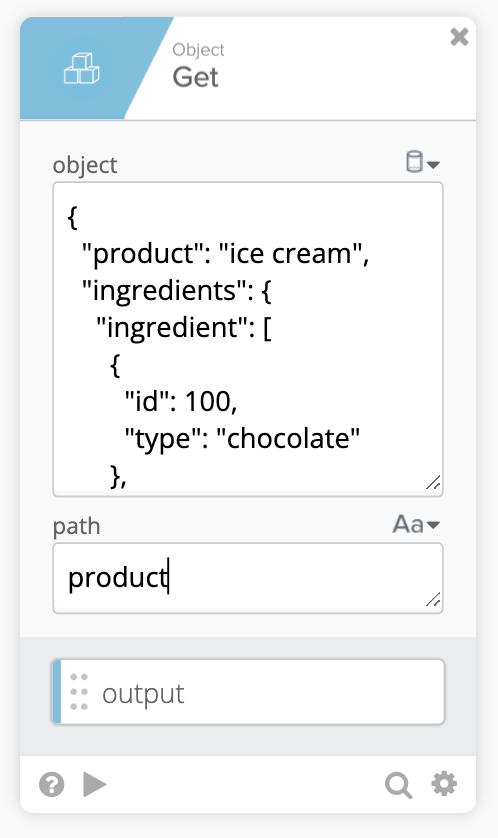 Utiliser la carte Get pour extraire des données de chemin JSON
Test de cette carte :
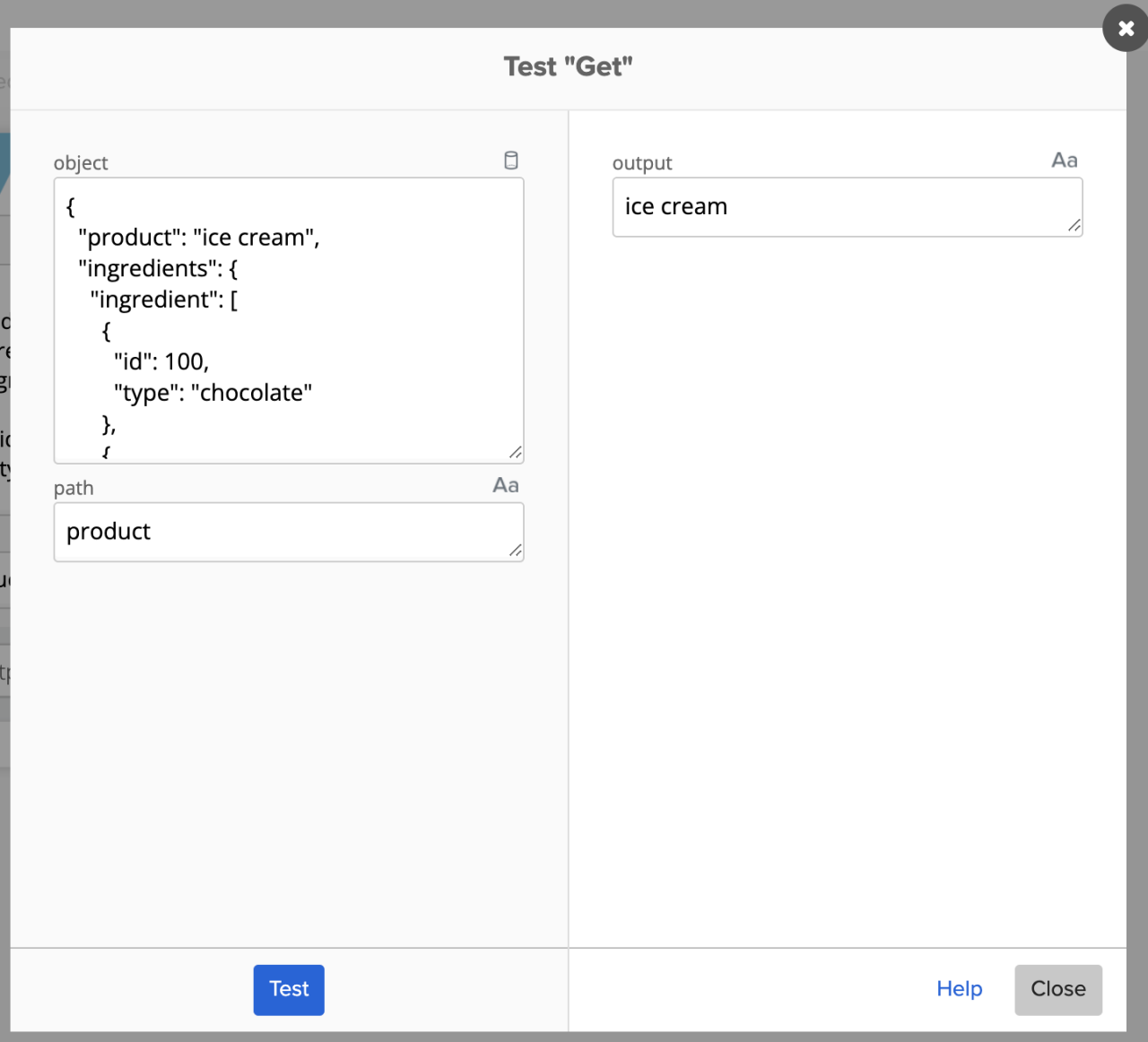 Test de la carte Get
Penchons-nous sur d’autres exemples :
En utilisant le chemin ingredients.ingredient.0 entraînera :
{
  "id": 100,
  "type": "chocolate"
}
Résultat lors du test avec la carte Object – Get :
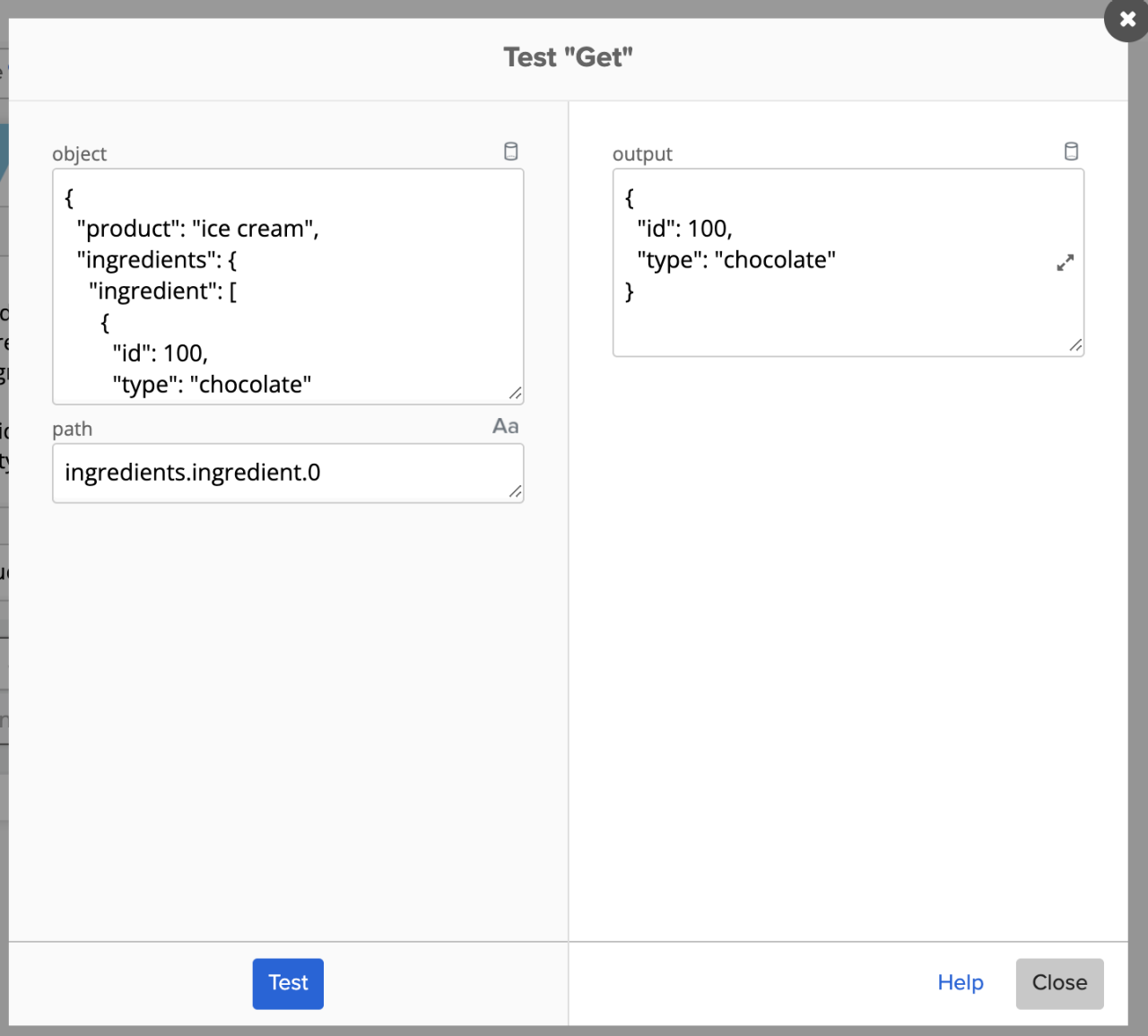 Utilisation de la notation pointée dans le chemin d’accès
Un point important à retenir : le type de sortie doit correspondre au type JSON. Si le chemin que vous avez saisi extrait du texte ordinaire, le type doit être Texte. Si le chemin extrait un objet, le type doit alors être défini sur Object (sinon, vous obtiendrez des résultats incorrects).
En reprenant l’exemple ci-dessus, si vous définissez le type de sortie sur Texte, vous obtiendrez le résultat suivant :
![Test "Get" interface showing a JSON input object, path notation ingredients.ingredient.0, and output displaying [object Object].](/content/okta-www/fr/fr-fr/blog/product-innovation/how-to-read-a-json-path-with-dot-notation/_jcr_content/root/container_wrapper/container_main/container_right/container/image_1649304968.coreimg.png/1791568919672/4-workflows-how-to-json-type.png) Test du composant Get avec un type de sortie incorrect
Test du composant Get avec un type de sortie incorrect
Définition du type de sortie approprié :
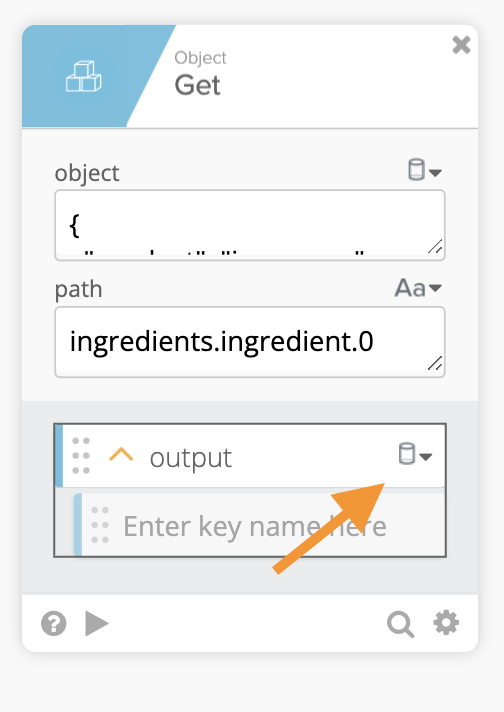 Test du composant Get avec un type de sortie correct
Cet exemple montre comment accéder à un tableau avec ingredients.ingredient.1.type:
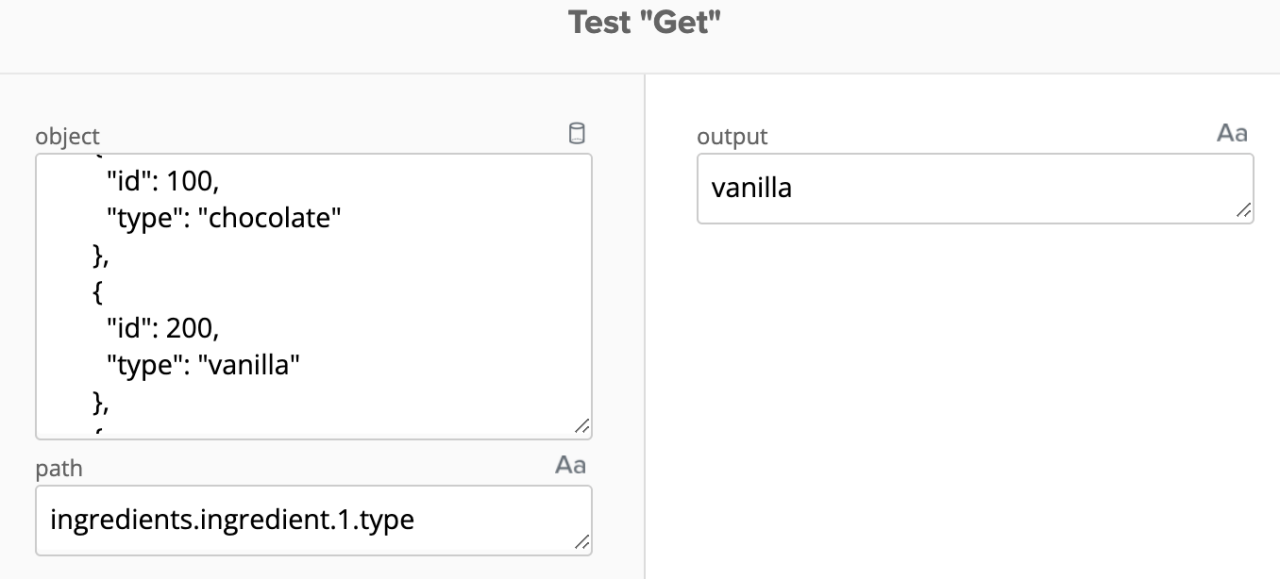 Accéder à un tableau à l’aide d’un chemin en notation pointée
Veuillez noter que le type de sortie est défini sur Texte, car la sortie correspond à une chaîne de caractères.
Un autre exemple utilisant le chemin shop.inventory renverra
{
   "instock": 100,
   "ordered": 50
}
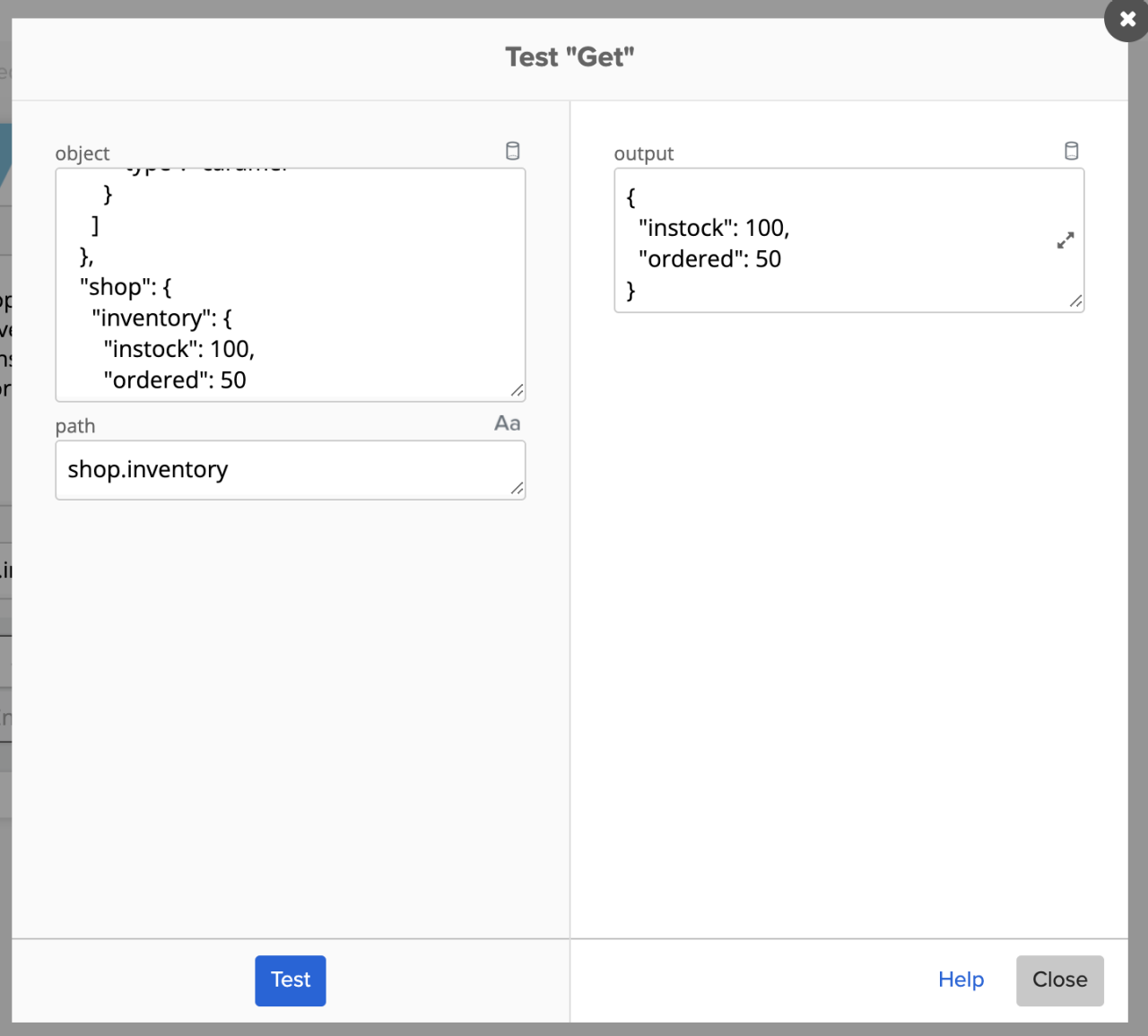 Test du composant Get pour accéder à un objet JSON
Notez que le type de sortie est défini sur Object, car la sortie est un objet.
Utiliser Object – Get Multiple pour extraire du JSON
Object – Get génère un seul chemin JSON. La carte Object – Get Multiple fonctionne de manière similaire et peut produire plusieurs chemins. Vous saisissez autant de chemins de sortie que nécessaire :
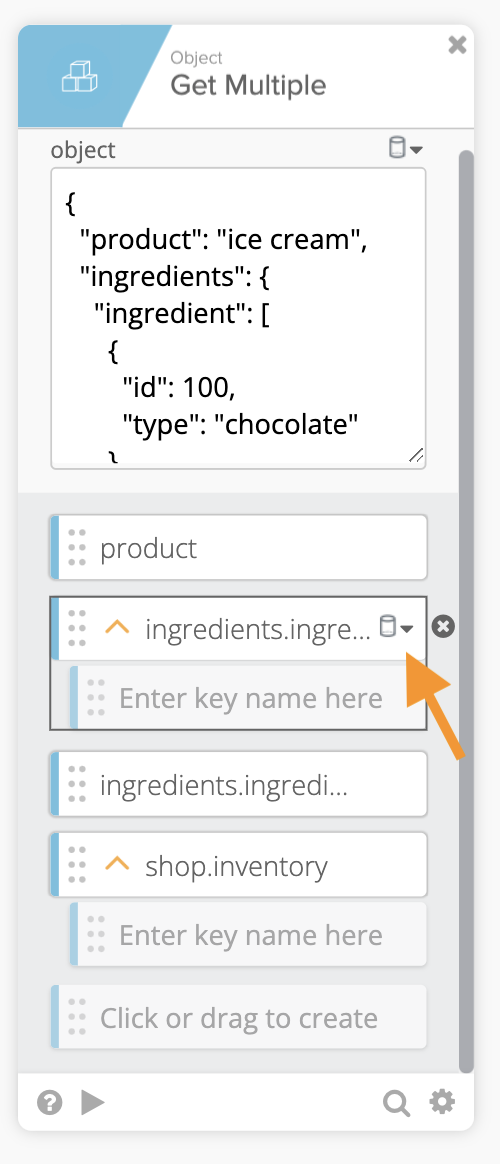 Utilisation de la carte Get Multiple
Notez que le type de sortie est défini dans le chemin lors de l’utilisation de la carte Object – Get Multiple.
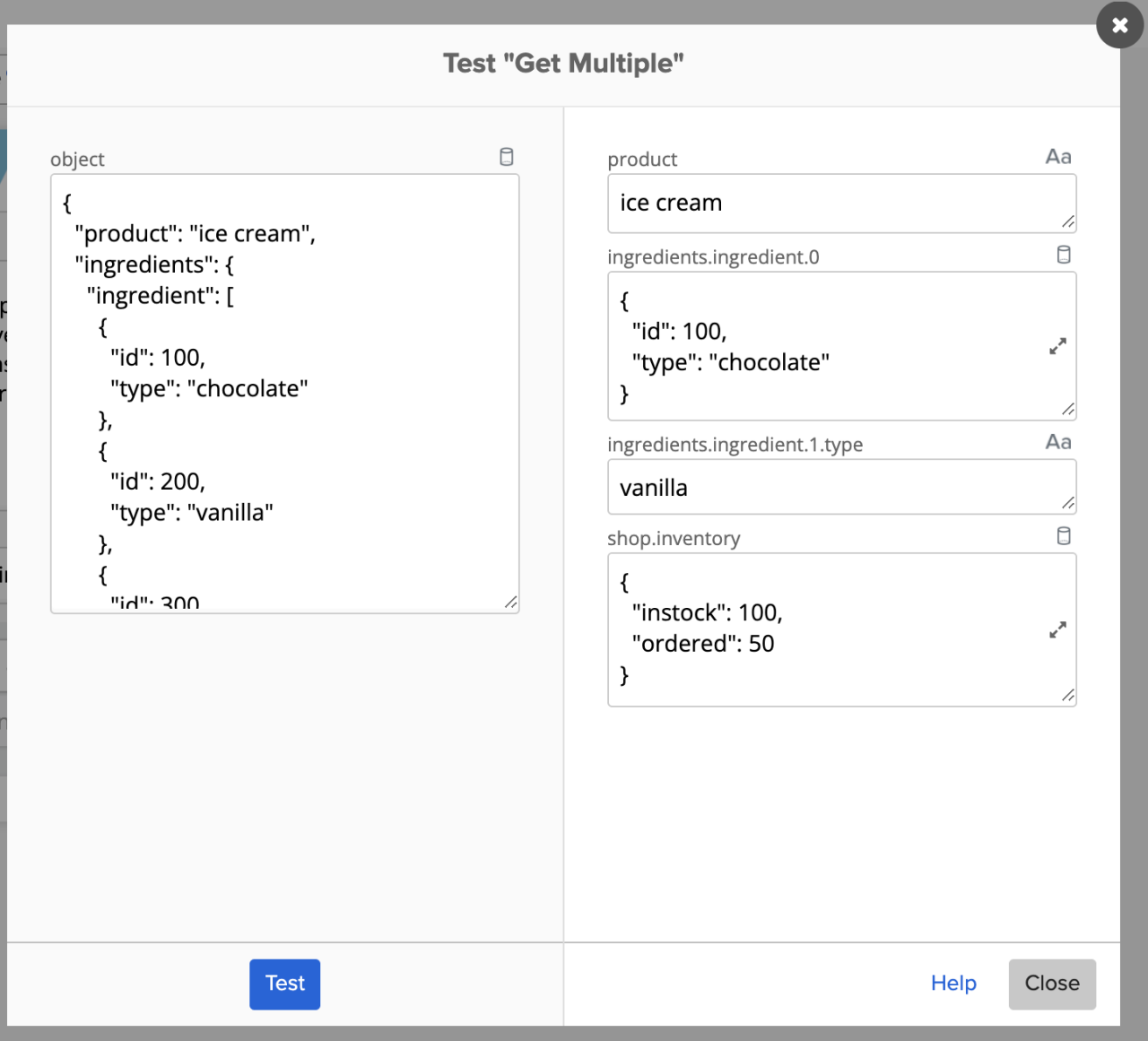 Test de la carte Get Multiple
L’ outil d’évaluation JSONPath en ligne est un outil en ligne qui vous permet de tester vos chemins en notation pointée.
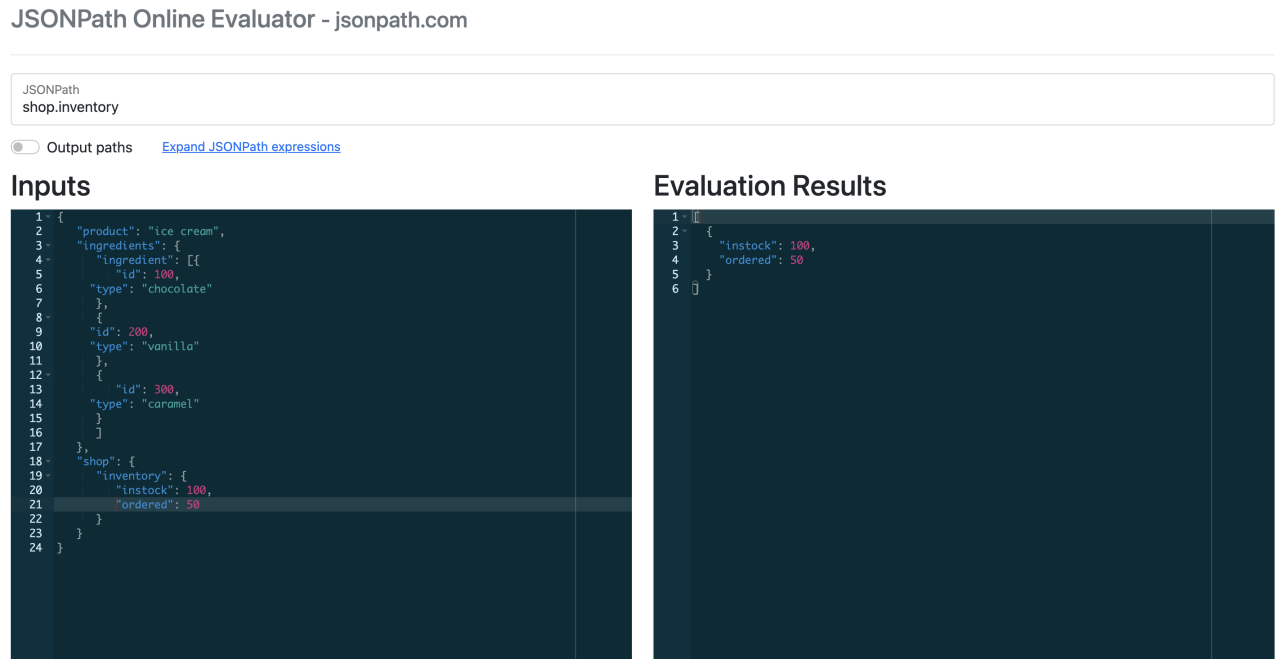 Outil d’évaluation JSONPath en ligne
Si vous devez valider (et formater) un exemple JSON, utilisez l’outil JSON Lint.
Obtenez des réponses à vos questions sur les Workflows
Avez-vous une question concernant Okta Workflows ? Vous ne savez pas comment créer un flux ? Participez aux permanences hebdomadaires de la communauté pour obtenir de l’aide.


