
New in Okta Workflows

Organize your Flows in folders and subfolders

About the Author

Max Katz

Staff Developer Advocate, Okta Workflows

Max Katz is a Staff Developer Advocate for Okta Workflows. Max loves the no-code automation space and creating educational content. Before Okta, Max led the North America Developer Advocacy team at IBM. Before IBM, Max led developer advocacy for a cloud-based mobile app platform, Appery, helping it grow from zero to over 400,000 developers. Max regularly writes on his http://maxkatz.net blog. 

11 July 2023 Time to read: ~

A woman is seated at a desk in a modern home office setting, working on a laptop connected to dual monitors

The Workflows team released a new capability to help you build and organize flows. This blog post will teach you about the new subfolders capability. 
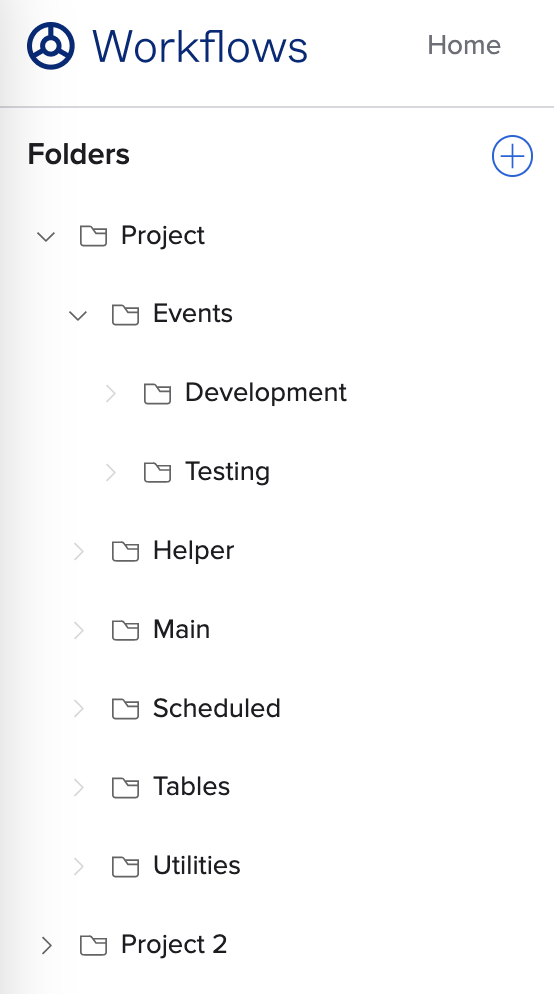
Okta Workflows navigation panel showing organized project folders and subfolders. Organizing flows into folders and subfolders

Organize Flows, Helper Flows, and Tables

As you create flows, helper flows, and tables, you can create folders and subfolders to keep automation organized. 
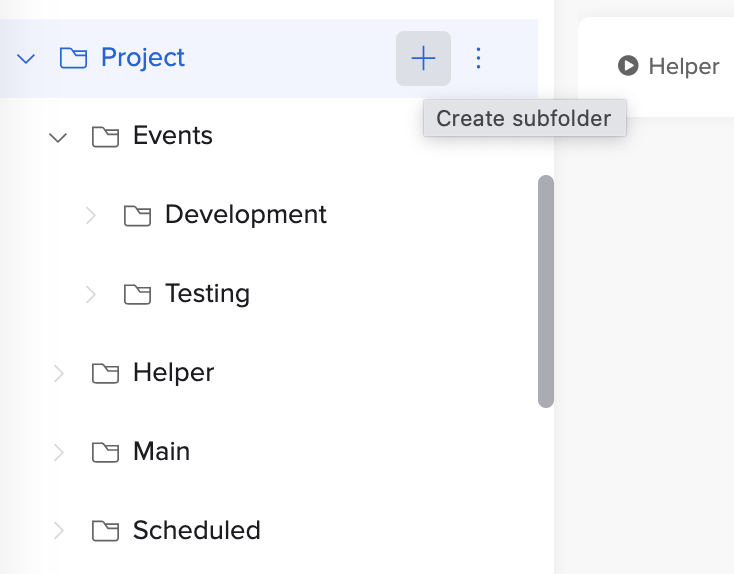
Okta Workflows navigation pane showing the "Create subfolder" tooltip on a project folder tree. Create new subfolder

Key Capabilities and Best Practices

With folders and the new subfolders capability, you can: 

  • Organize flows, helper flows, and tables 
  • Organize by app, use case, or however you like
  • Visualize relationships between related flows, helper flows, and tables
  • Help team members understand automation logic
  • Drag and drop flows, helper flows, and tables into folders
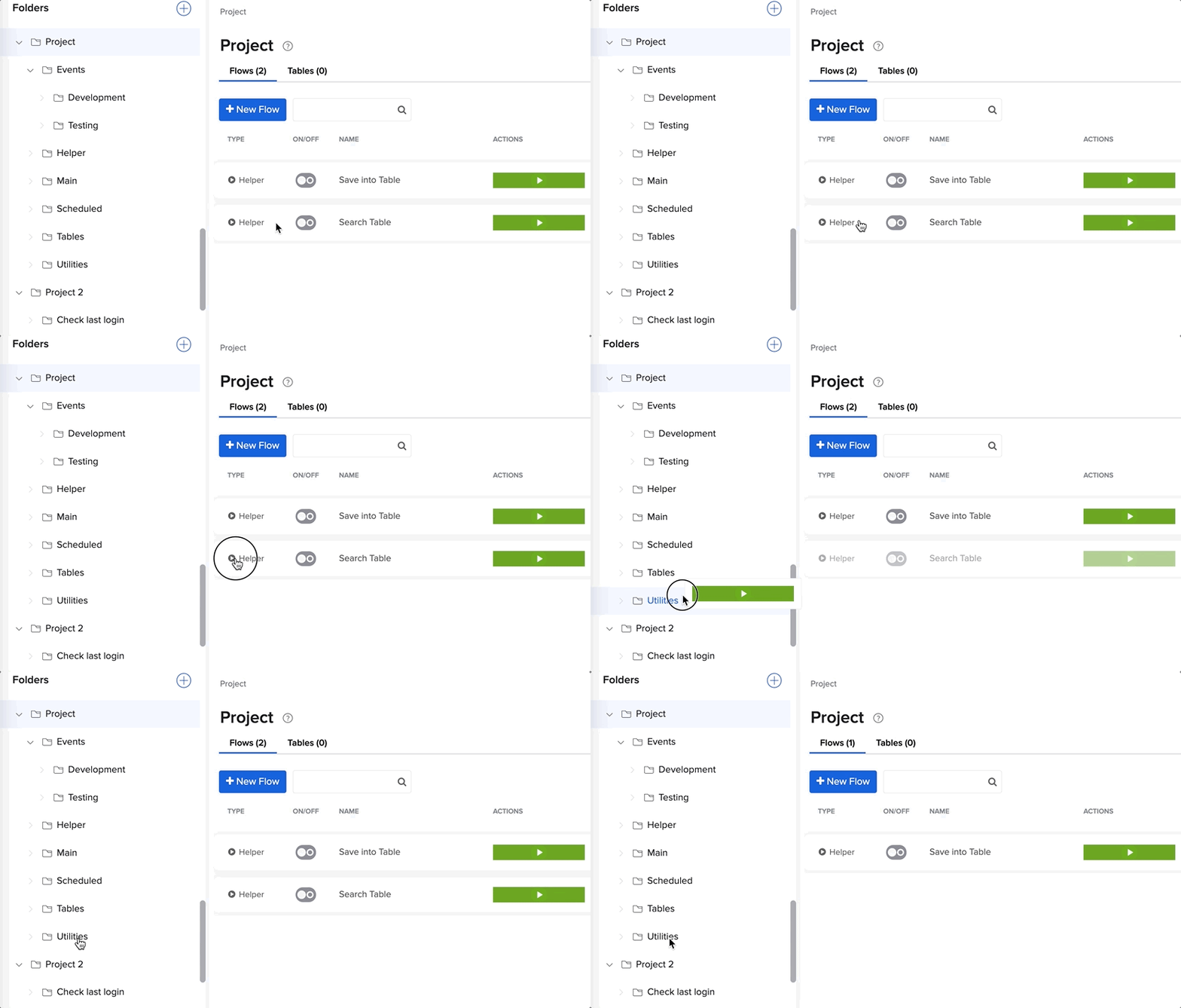
GIF showing a workflow management dashboard where a user clicks a button to create a new flow directly inside a selected project subfolder. Drag and drop a flow into a folder

Folder Limits and Management

  • Upcoming Feature: Coming soon—drag and drop folders to make a subfolder.
  • Capacity & Depth: There is no limit to the number of subfolders you can create. The maximum folder depth is 5 levels (including the top-level folder).
  • Collaboration: Setting a folder description helps with project organization and collaboration.
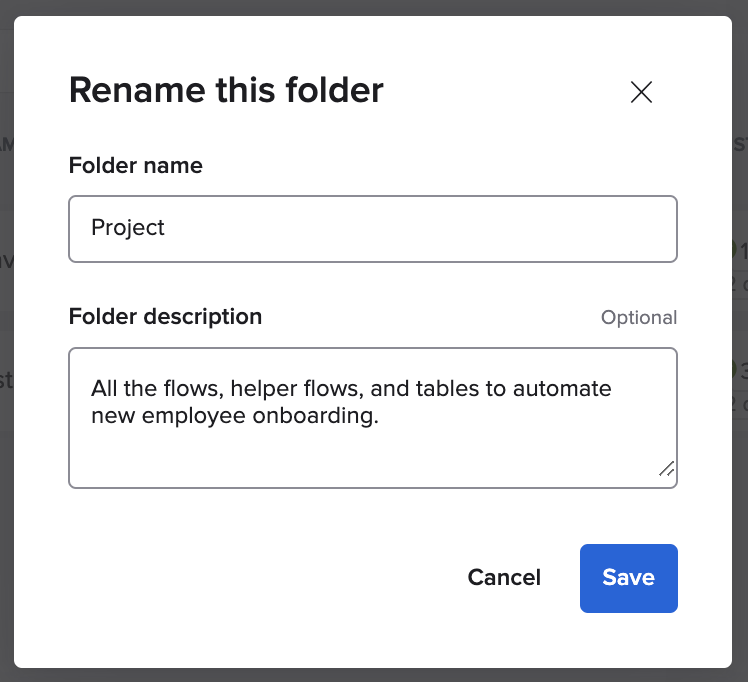
"Rename this folder" dialog in Okta Workflows showing custom folder name and description fields. Entering folder description

Learn more

To learn how to manage folders, read about folders and subfolders in Workflows documentation. 

About the Author

Max Katz

Staff Developer Advocate, Okta Workflows

Max Katz is a Staff Developer Advocate for Okta Workflows. Max loves the no-code automation space and creating educational content. Before Okta, Max led the North America Developer Advocacy team at IBM. Before IBM, Max led developer advocacy for a cloud-based mobile app platform, Appery, helping it grow from zero to over 400,000 developers. Max regularly writes on his http://maxkatz.net blog. 

Continue your Identity journey