


Executive Summary
Okta Threat Intelligence has identified multiple clusters of high-volume phishing activity impersonating recruitment teams from various companies, using over 400 domains to facilitate credential theft.
We track this activity as O-UNC-038.
In this report we detail:
- A campaign using a “Browser in the Browser” (BitB) technique to mimic a Facebook social login, using Telegram bots for credential exfiltration.
- A campaign specifically targeting Google Workspace corporate account credentials, using Socket.IO for credential exfiltration
- Similar recruitment-themed phishing campaigns
The primary objective across all of these campaigns is credential harvesting.
While more sophisticated campaigns may leverage Adversary-in-the-Middle (AitM) techniques which capture session cookies to bypass Multi-Factor Authentication (MFA), the campaigns in this advisory conduct simple credential harvesting via static phishing kits.
Threat Analysis
Multiple campaigns, similar targeting
We uncovered and tracked multiple campaigns that all use similar recruitment-themed phishing lures and abuse the same services for lure delivery or tracking.
In phishing pages associated with the clusters of activity described below, we observed tracking links associated with Salesforce ExactTarget:
cl.s12[.]exct[.]net/?qs=<UniqueIdentifierString>
Phishing actors commonly abuse email marketing platforms to send phishing emails, either by setting up trial accounts for fake organizations, or by taking over the accounts of email marketing platform customers. The phishing actors can then send to large email lists from trusted mailing infrastructure.
Okta provided these domains and tracking links to Salesforce Threat Intelligence, who were able to immediately suspend the associated Salesforce accounts and investigate the campaigns.
Below we detail the different lures and functionality of two of the campaigns.
Threat Analysis - Campaign 1
Browser in the Browser (BitB) Facebook credentials campaign (“Campaign 1”)
This first cluster we will analyze uses a Browser in the Browser (BitB) technique to acquire Facebook credentials from the victim by displaying a fake login dialog box window.
A BitB attack is an advanced phishing technique where a malicious webpage uses HTML, CSS, and JavaScript to create a fake browser window inside the real browser window. This fake window is designed to mimic a legitimate pop-up, such as the "Login with Facebook" prompt, complete with a fake address bar and security padlock. Any credentials entered into this fake window are captured by the attacker.
We tracked 143 domains associated with this specific Facebook/BitB-technique campaign. We also observed some diversity in hosting, possibly suggesting separate actors or sub-campaigns using the same technique.
This campaign most typically use the Vercel frontend cloud service, or register domain names at registrar.eu and host the sites with Amazon Web Services. This campaign also uses a Telegram bot for credential exfiltration and to distribute updates to the sites.
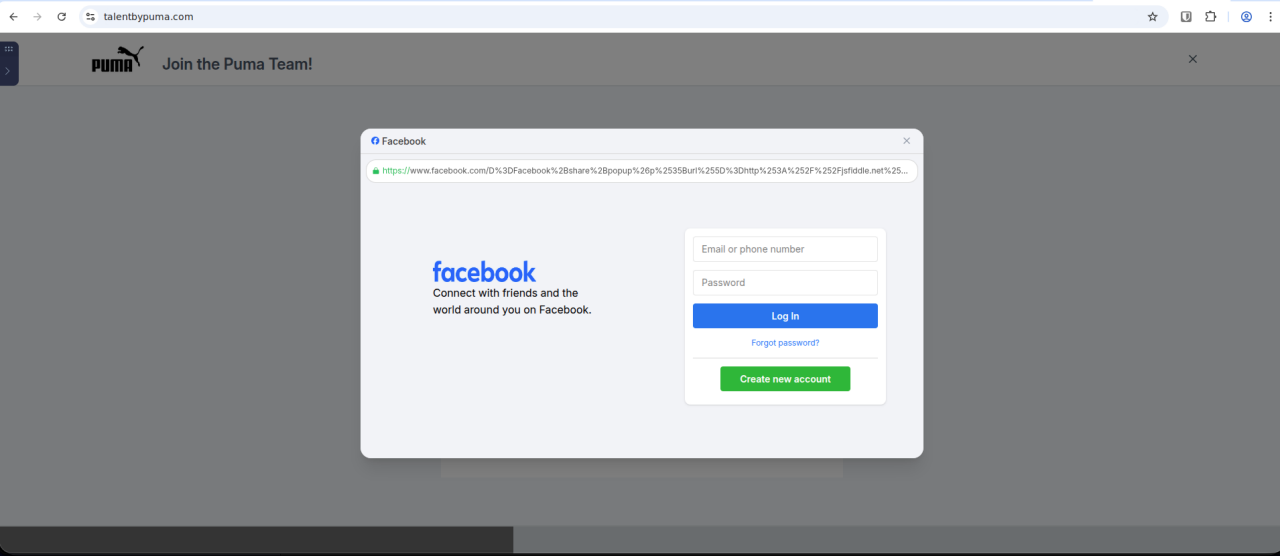 Figure 1. Example of BitB technique with a fake Facebook login window
![Screenshot demonstrating that the facebook[.]com window is a HTML <div> element within the web page](/content/okta-www/us/en-us/blog/threat-intelligence/jobseekers-exploited-in-fake-recruiter-phishing-campaigns/_jcr_content/root/container_wrapper/container_main/container_right/container/image_36874971.coreimg.png/1769760800129/2-bitb.png) Figure 2. Screenshot demonstrating that the facebook[.]com window is a HTML <div> element within the web page
Figure 2. Screenshot demonstrating that the facebook[.]com window is a HTML <div> element within the web page
Example: Fake Meta Recruitment
The credential phishing example impersonates Meta recruitment across three distinct pages: an initial landing page, a job application page portal, and a fake Facebook login page.
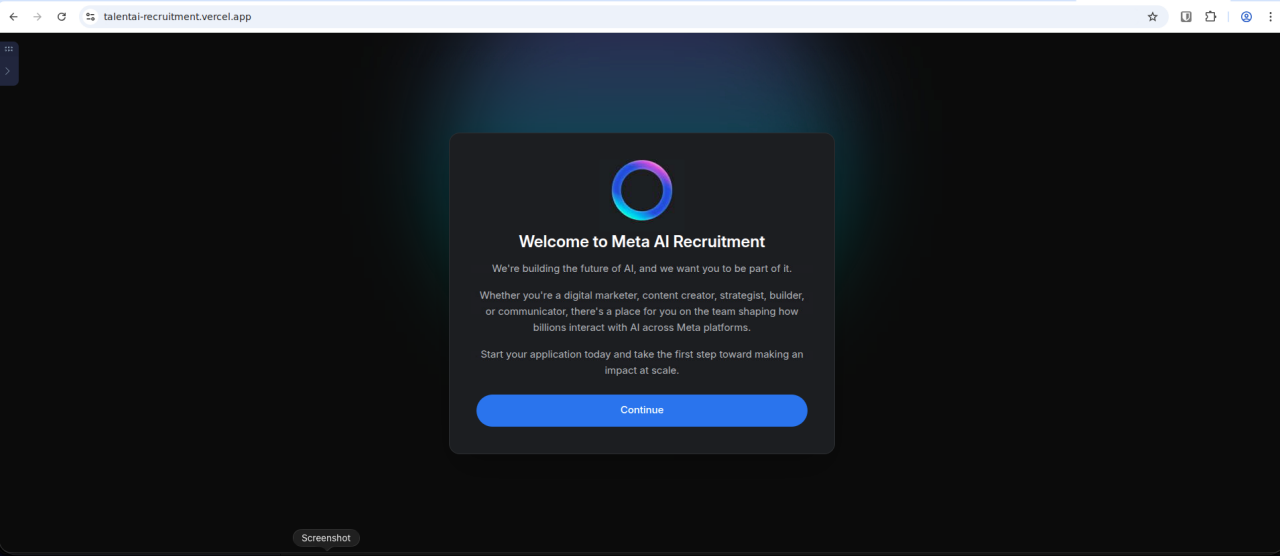 Figure 3. First-stage landing page impersonating Meta AI recruitment
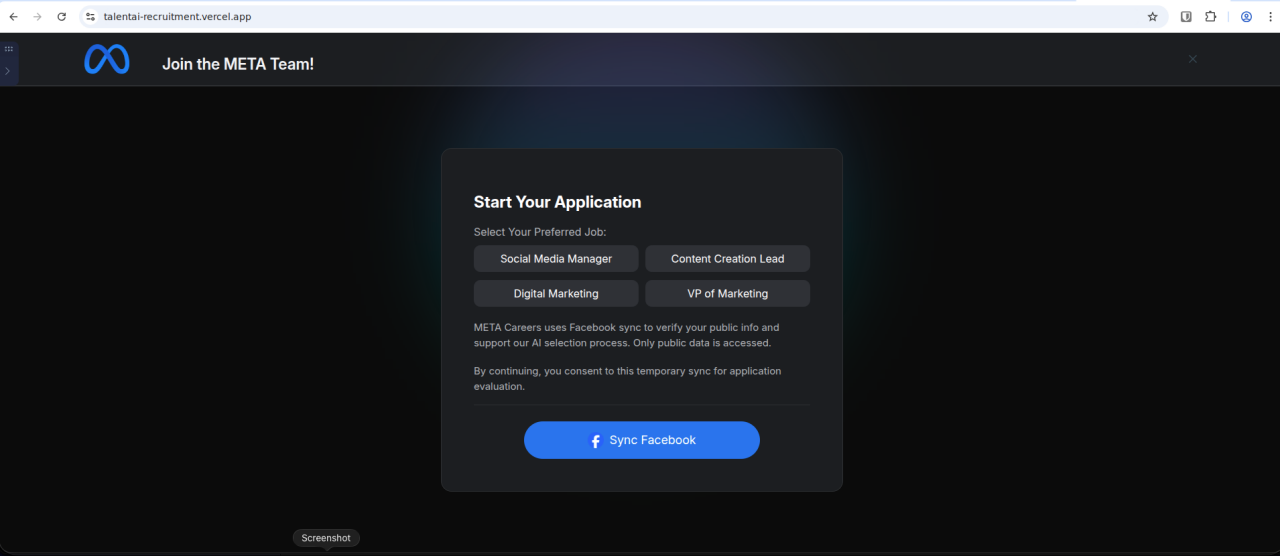 Figure 4. Second-stage "application" page impersonating Meta
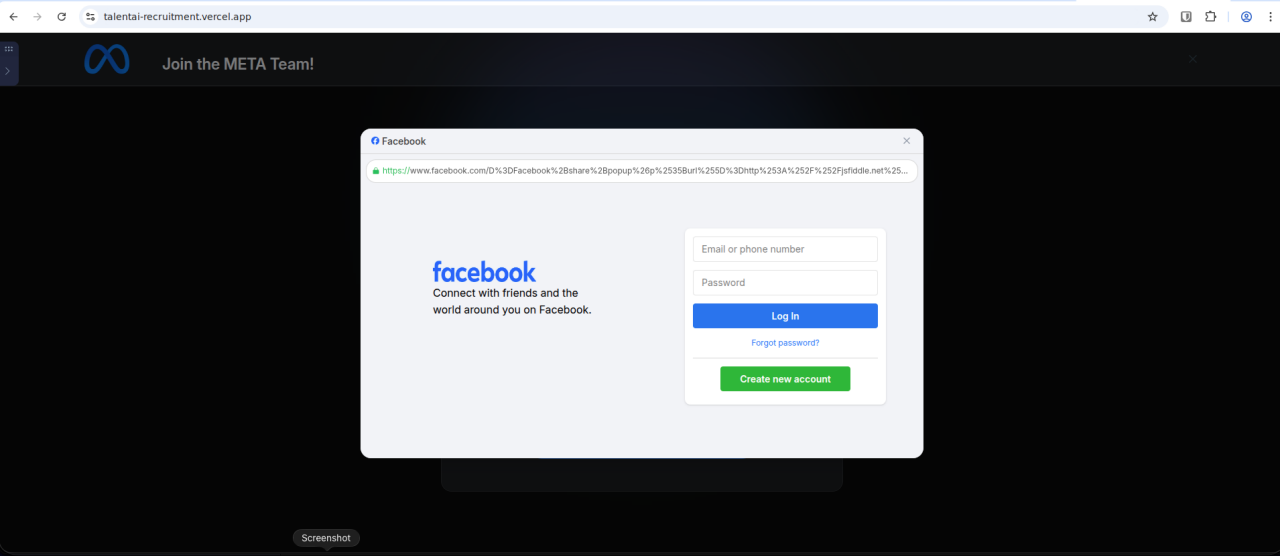 Figure 5. Third-stage fake Facebook login window
Example: Fake Puma Recruitment
The sequence of three images below are another example, this time impersonating Puma recruitment:
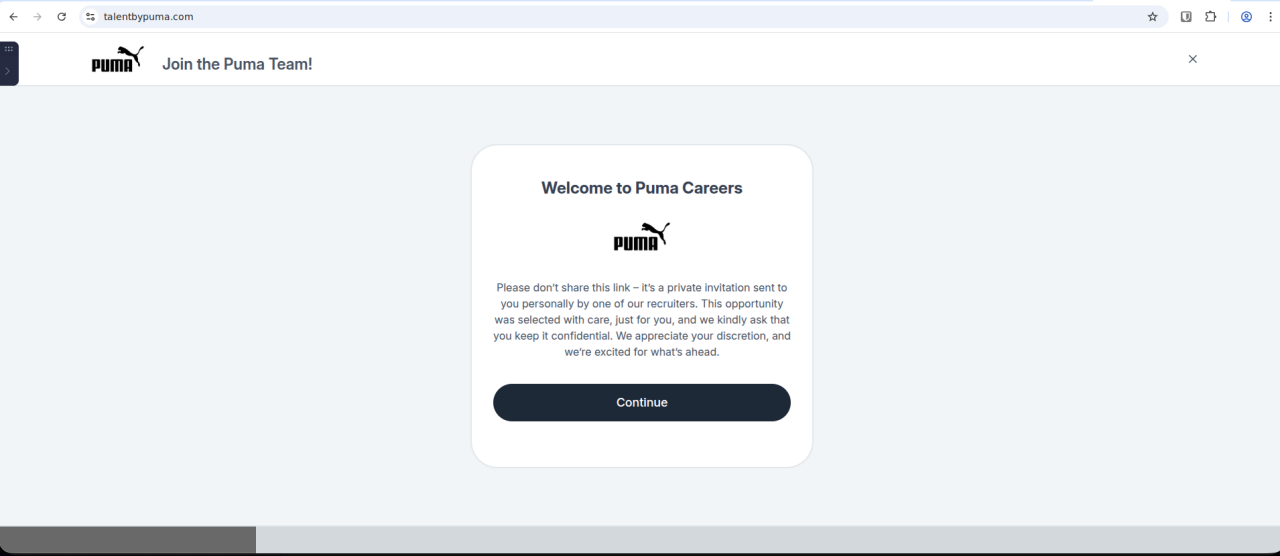 Figure 6. First-stage landing page impersonating Puma
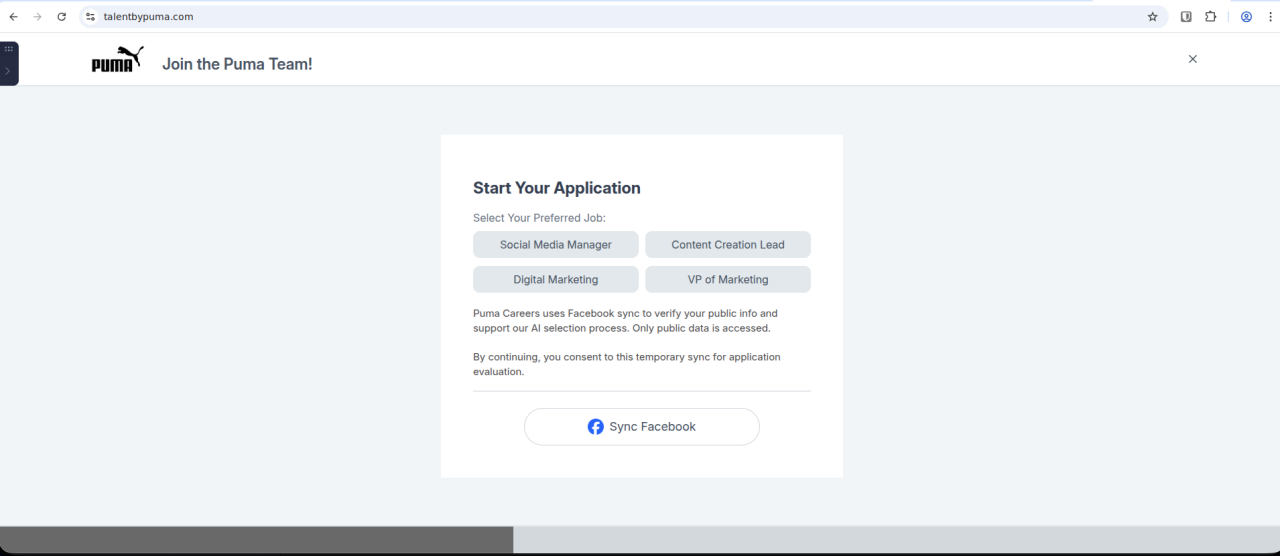 Figure 7. Second-stage "application" page impersonating Puma
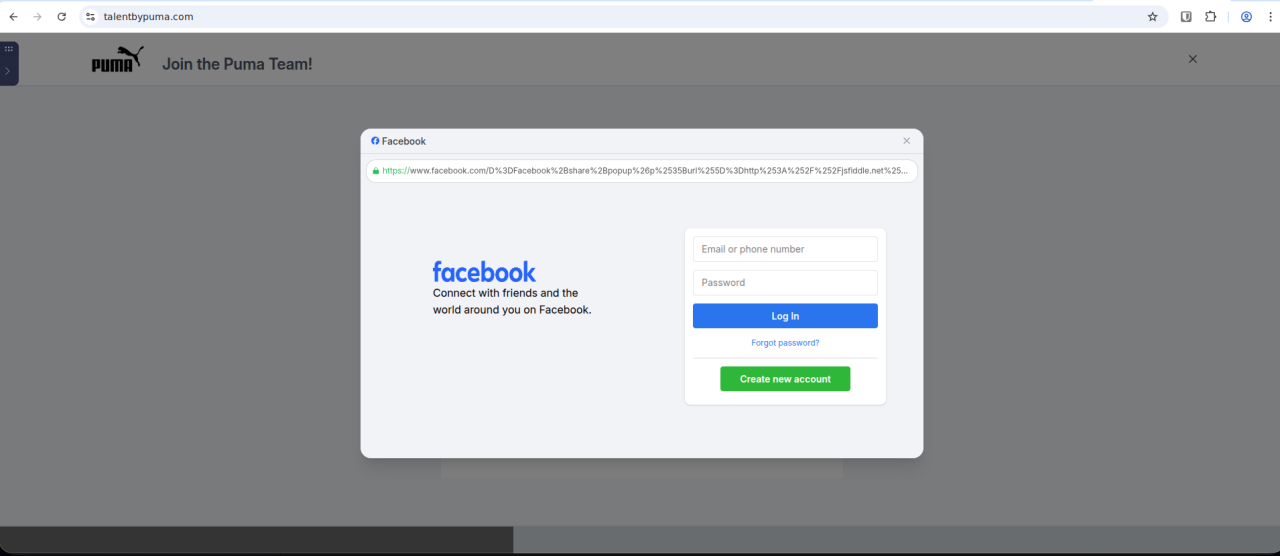 Figure 8. Third-stage fake Facebook login window
Observed Phishing Lures - Campaign 1
The BitB campaign utilizes convincing corporate software and services to trick users into entering credentials. Once user credentials are entered into the attacker-controlled site, the submission page simulates a hanging process.
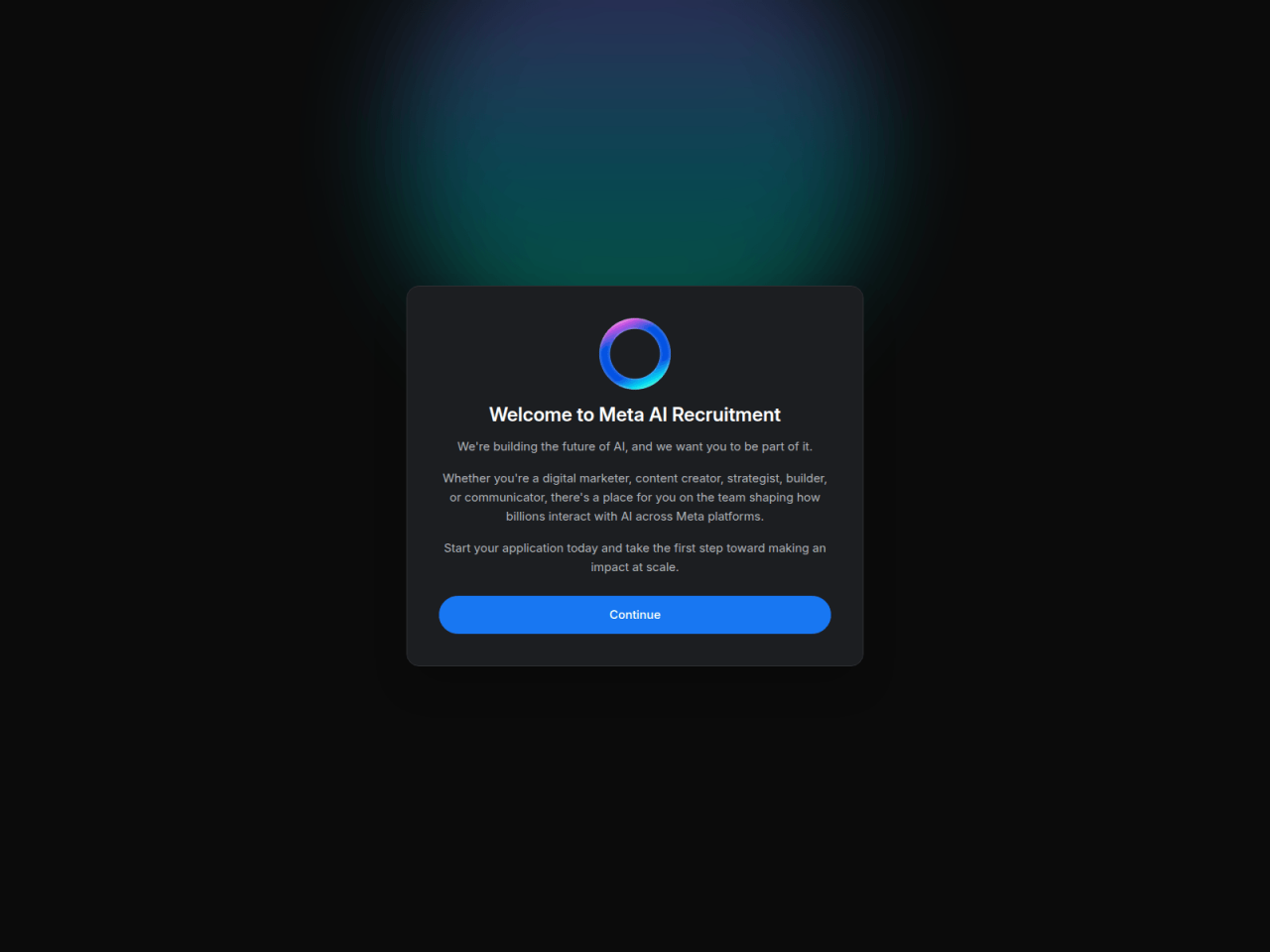 Figure 9. Example of a corporate recruitment landing page impersonating Meta
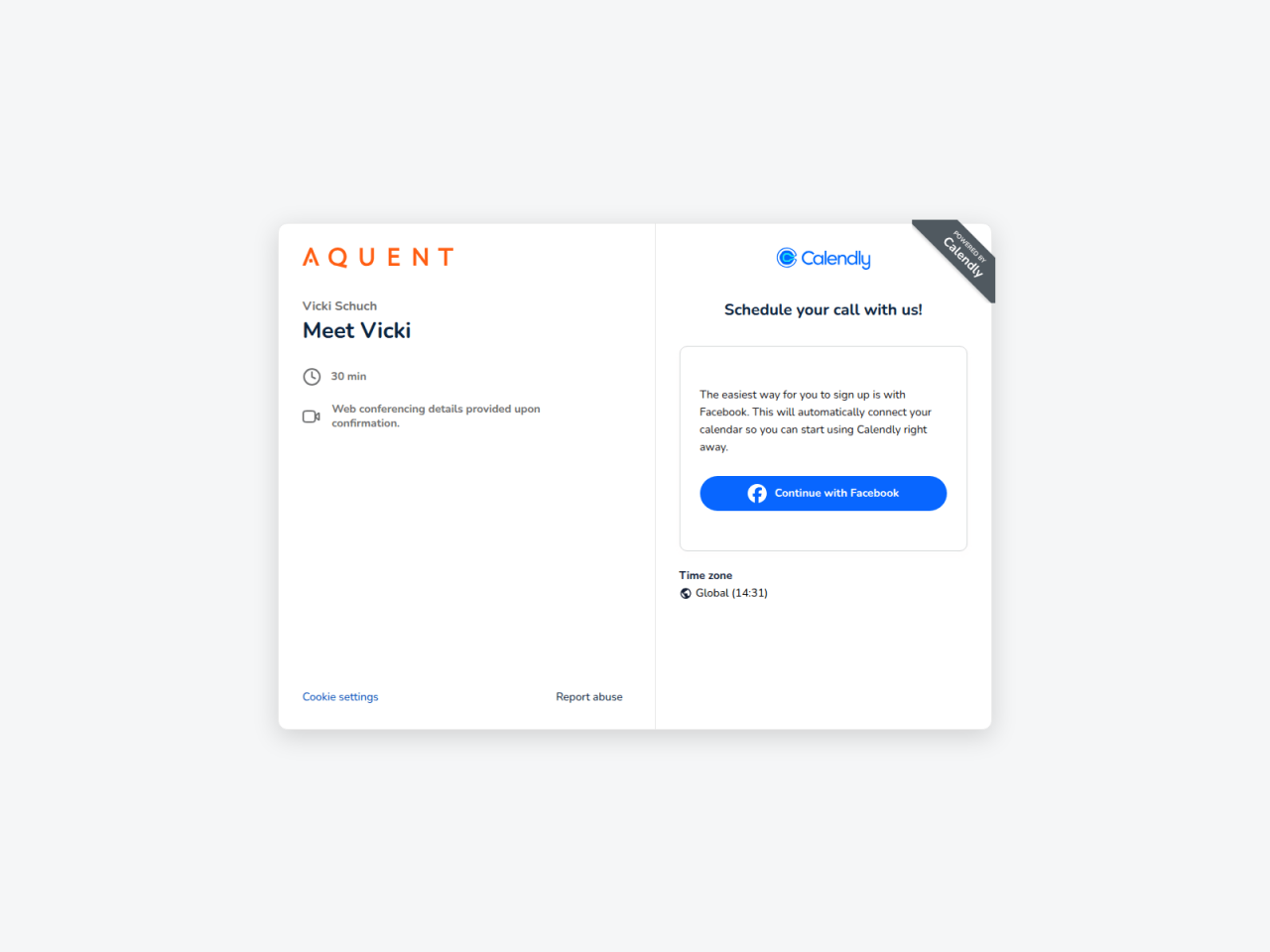 Figure 10. Example of a Calendly scheduling page configured by a threat actor
Threat Analysis - Campaign 2
This cluster does not use the BitB technique as seen in Campaign 1, but rather a static landing page that imitates a full-screen Google account login.
The phishing pages used in this campaign reject personal email address formats in an attempt to capture corporate credentials.
We observed at least 84 related domains for this campaign, which abuses Cloudflare to obfuscate the actual origin IP address and Socket.IO for exfiltration of stolen credentials.
Example: Fake Sony Playstation recruitment
Any data submitted in the “form” below is ignored, as this campaign only attempts to capture Google credentials.
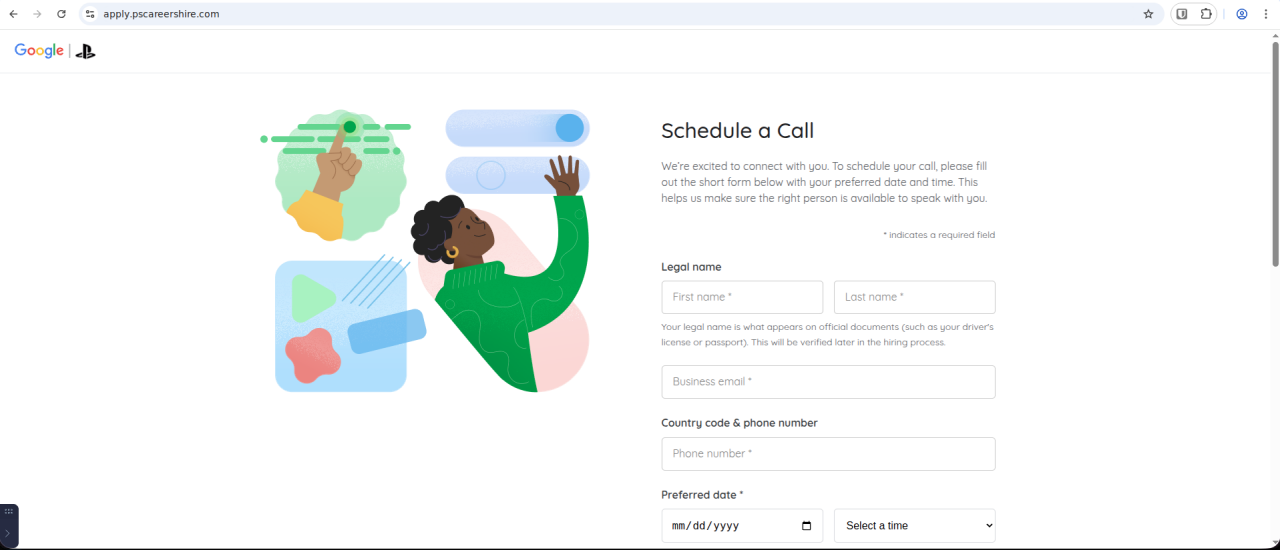 Figure 11: First-stage phishing page impersonating Sony Playstation
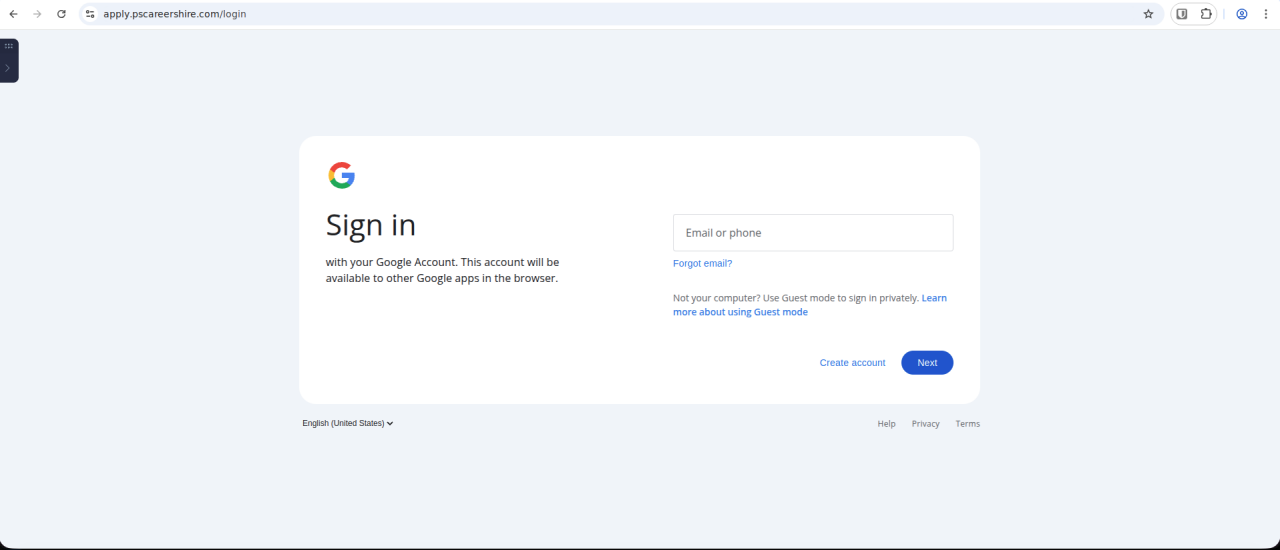 Figure 12. Second-stage Google login prompt
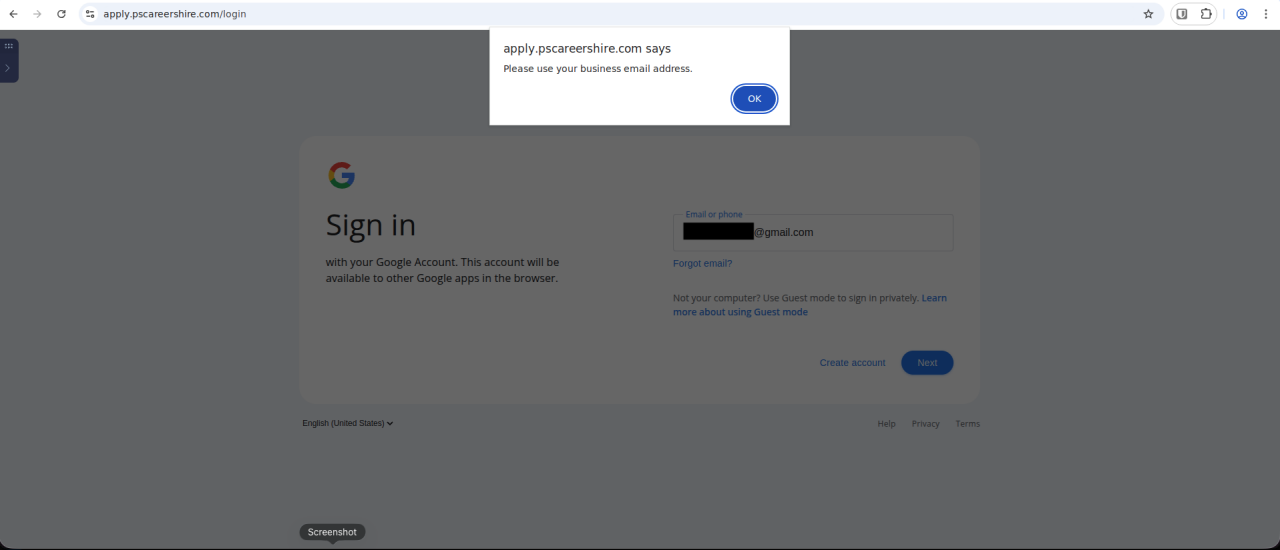 Figure 13. The phishing page rejects non-corporate email domains
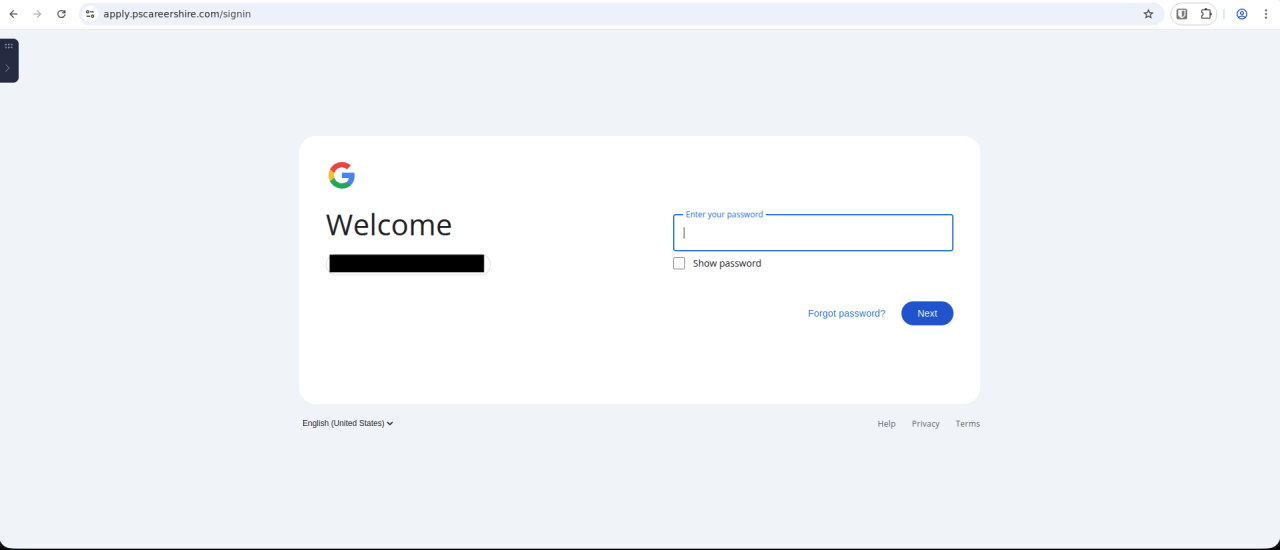 Figure 14. Third-stage fake Google login prompt, requesting a user password
Once credentials are entered, the workflow may terminate using either a hanging process similar to Cluster 1, or some sort of error dialog.
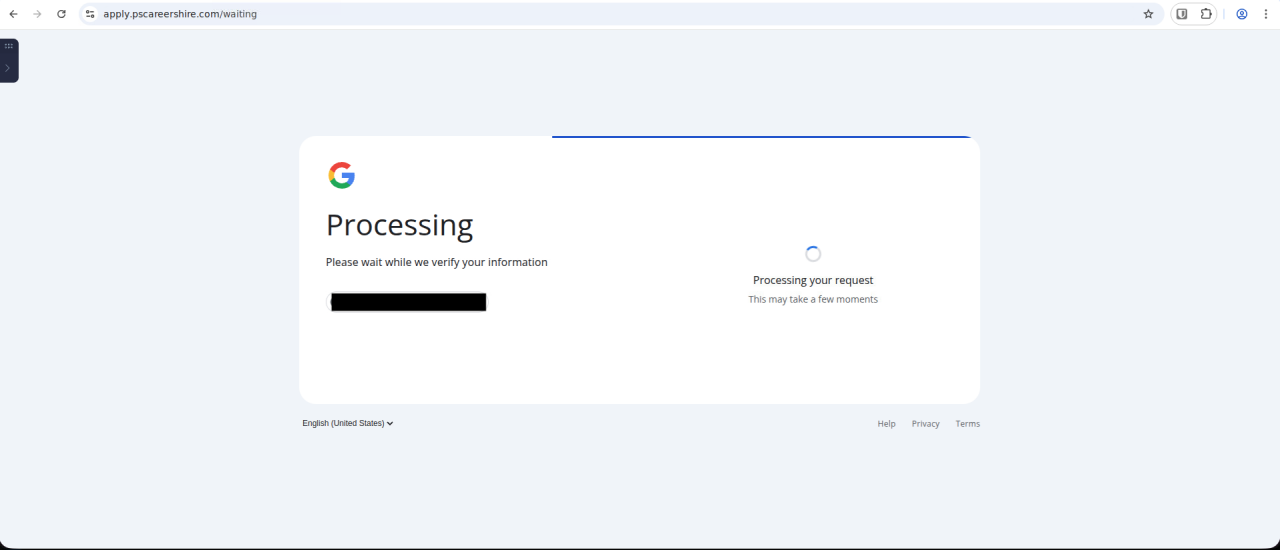 Figure 15. This fourth-stage fake Google login simulates a hanging page
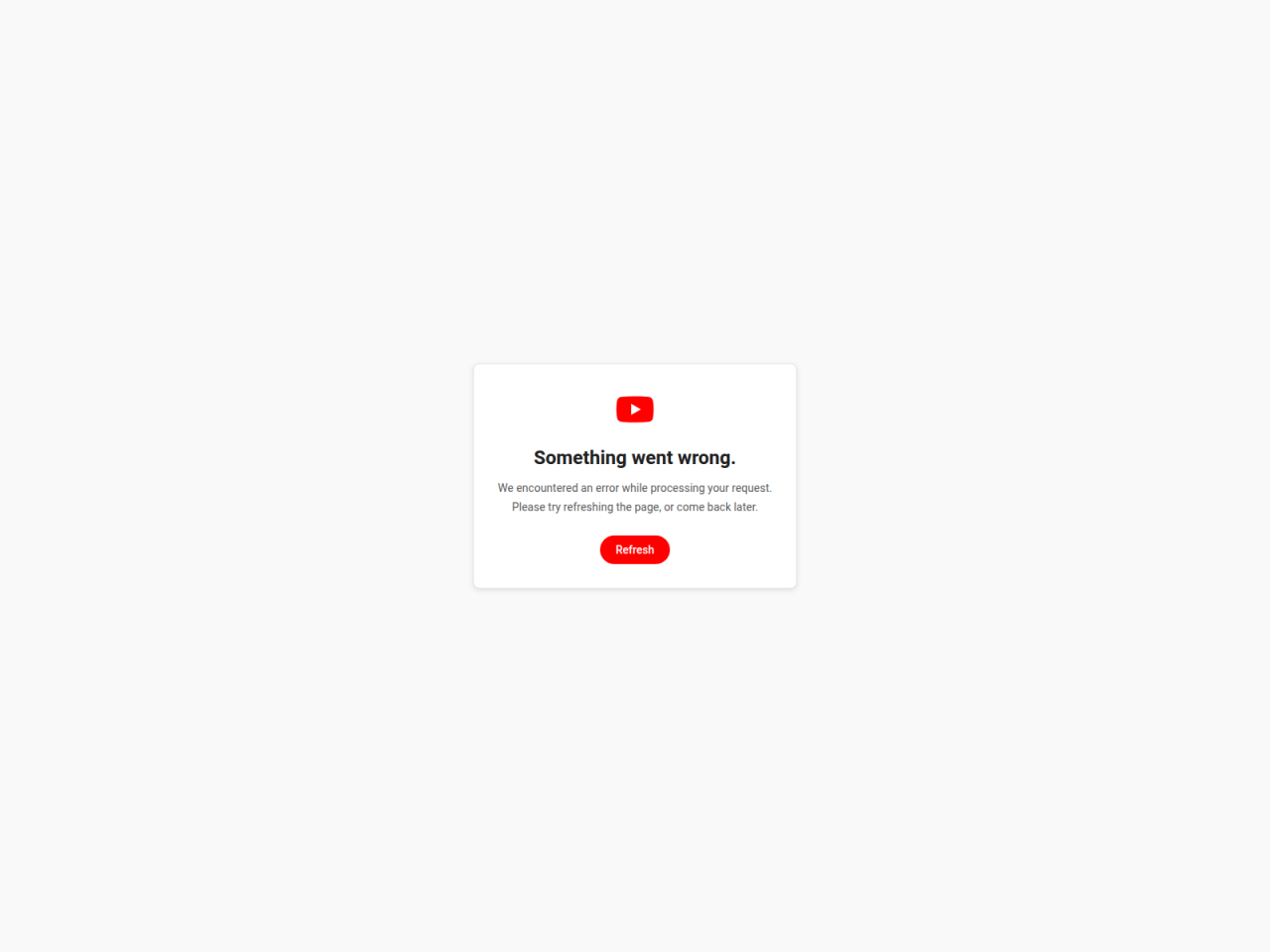 Figure 16. This alternative fourth stage simulates an error message on YouTube
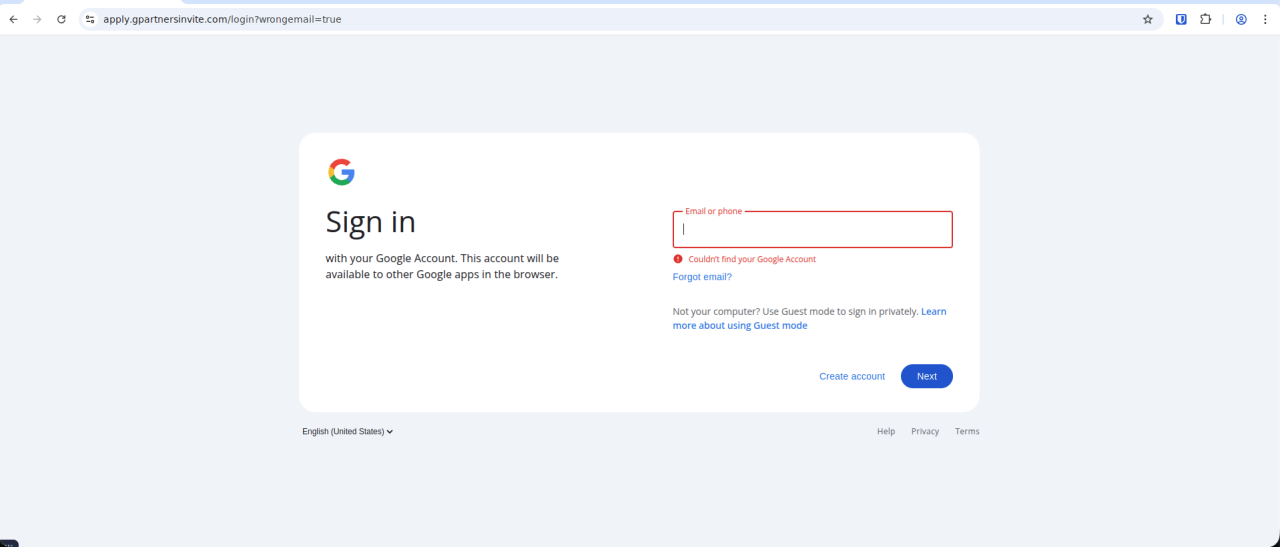 Figure 17. This alternative fourth-stage simulates an account registration issue
Other Recruitment-themed Phishing Clusters
Our investigation into the previous two distinct phishing clusters uncovered several more similar recruitment-themed campaigns, including almost 200 additional phishing domains.
These can be clustered into groups of infrastructure combinations and/or naming techniques, which may suggest that several independent actors may be behind these similarly-themed campaigns.
These campaigns & infrastructure impersonate multiple well-known companies and recruitment services, including:
Adecco
Adidas
Aquent
Calendly
Calvin Klein
Cisco
CocaCola
Genpact
Givenchy
Google
Hays
Ikea
Inditex
Meta
Playstation (Sony)
Puma
Randstand
Robert Half
Robert Walters
Salesforce
Starbucks
Youtube
Zara
Many of these campaign domains do not use a default / “www” host, but rather specific hostnames such as:
apply.
hire.
careers.
calendly.
case.
hr.
jobs.
join.
kvn.
recruit.
recruite.
schedule.
staff.
start.
threads.
xds.
This may both reinforce a valid-looking URL to the victim, and also obfuscate the phishing pages at the domain for crawlers or researchers looking only at the domain root.
Threat Response
What we're doing
We’re actively engaged in the following activities to mitigate this threat:
Continuously monitoring for newly registered phishing domains and infrastructure associated with this campaign.
Providing guidance and assistance to organizations to enhance the security of their Okta environments and investigate any suspicious activity related to potentially compromised accounts.
Protective Controls
Recommendations
- Enable phishing-resistant MFA (FastPass/WebAuthn/passkeys); disable SMS/voice for these users.
- Block and monitor newly registered domains that imitate your service. If content hosted on the domain violates copyright or legal marks, consider providing evidence and issuing a takedown request with the domain registrar and/or web hosting provider.
- Enforce DMARC/DKIM/SPF and alert on spoofed hiring/recruiter mail.
- Teach users to only sign-in to known domains (type or bookmark).
- Teach users to spot BitB impersonation:
- If a user attempts to move a login window outside of a parent host site window, it should be able to move anywhere on the user’s screen. A fake login dialog is a fixed element within the parent host page - it will only be able to move within the boundaries of the host page window.
- If a user minimizes the window of the host page, a real login dialog would remain displayed independently of the host page window. A fake login element will minimize in sync with the host page window.
- Advise job applicants to use official careers portals and to reject solicitations or links to communicate via other platforms.
- Hunt for IoCs (e.g. Telegram bot API calls, t.me/, bot*getUpdates, sendMessage; BitB CSS/JS patterns).
Response playbook
- Report and and request a takedown of malicious site
- Reset the credentials (passwords, session tokens) of impacted users and notify, where required.
- Review SSO logs of impacted users.
- Evaluate whether to include advice on “Browser-in-the-browser” attacks in your security awareness program.
Indicators of Compromise
The security contacts of Okta customers can sign-in and download Indicators of Compromise from security.okta.com at the following link:
https://security.okta.com/product/okta/jobseekers-exploited-in-fake-recruiter-phishing-campaigns
A note on estimate language
Okta Threat Intelligence teams the following terms to express likelihood or probability as outlined in the US Office of the Director of National Intelligence Community Directive 203 - Analytic Standards.
| Likelihood | Almost no chance | Very unlikely | Unlikely | Roughly even chance | Likely | Very likely | Almost certain(ly) |
|---|---|---|---|---|---|---|---|
| Probability | Remote | Highly improbable | Improbable | Roughly even odds | Probable | Highly Probable | Nearly Certain |
| Percentage | 1-5% | 5-20% | 20-45% | 45-55% | 55-80% | 80-95% | 95-99% |


